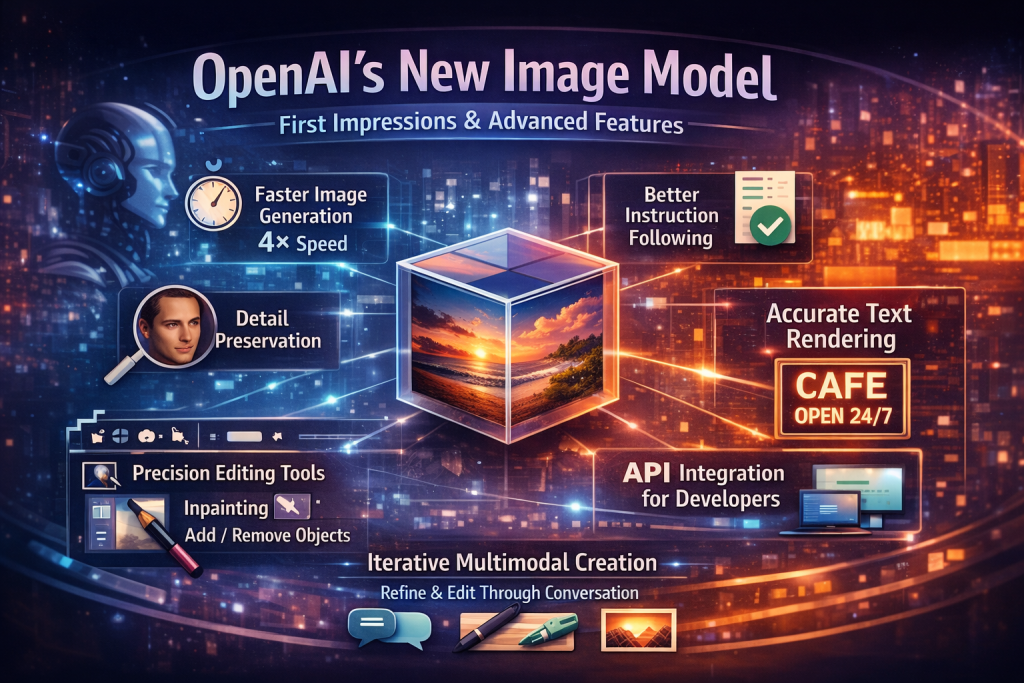
The landscape of artificial intelligence is in a constant state of rapid evolution, with breakthroughs in text-based models often capturing the headlines. However, the realm of image generation is undergoing its own profound transformation. A newly launched image model from OpenAI represents a significant leap forward, not merely in its ability to generate pictures, but in how it integrates into a conversational workflow, responds to iterative feedback, and understands complex, nuanced instructions. This tool is not just an upgrade; it is a re-imagining of the creative process, moving from a rigid, one-shot prompt system to a dynamic, collaborative dialogue between human and machine. To truly understand its capabilities, it is essential to move beyond press releases and conduct a thorough, hands-on evaluation. We will explore its feature set, test its limits with practical examples, and analyze its potential for both creative professionals and entrepreneurs. This deep dive will reveal whether this new model can supplant established workhorses and set a new standard for AI-powered visual creation.
Introduction to OpenAI’s New Image Model
The initial experience with this new image generation tool is designed for accessibility and intuitive use. It is seamlessly integrated within the familiar ChatGPT interface, eliminating the need for separate applications or complex setups. The process begins with a simple action: selecting the plus icon, which then reveals an image button. Activating this feature opens up a dynamic carousel of pre-defined styles, acting as creative springboards for the user. This approach immediately lowers the barrier to entry, inviting exploration rather than demanding technical prompting expertise.
The style suggestions themselves offer a glimpse into the model’s versatility. Options range from the whimsical, such as “3D glam doll” and “plushie,” to the practical and artistic, like “sketch” and “ornament,” the latter likely included to cater to seasonal creative needs. This curated selection serves a dual purpose. For novice users, it provides a guided path to creating visually interesting images without needing to craft elaborate text prompts. For experienced creators, these styles act as foundational templates that can be further customized and refined. The immediate thought upon seeing styles like “sketch” is its potential application beyond simple portraits. Could it be used to generate technical diagrams, architectural drawings, or conceptual flowcharts with an artistic, hand-drawn aesthetic? Similarly, the “plushie” option sparks immediate commercial ideation—the potential to conceptualize and design a line of toys or collectible figures.
The core mechanism at play here is a sophisticated system of prompt optimization. When a user uploads an image and selects a style, the platform does not simply apply a filter. Instead, it analyzes the input and the desired outcome to generate a highly detailed, optimized prompt specifically tailored for the underlying image model. This behind-the-scenes process is crucial. It effectively translates a user’s simple request into the complex language the AI needs to produce a high-quality result. This is a significant step forward, democratizing access to the kind of prompt engineering that was previously the domain of specialists. This automated optimization is a key feature that distinguishes this integrated tool from many standalone image generators, where the quality of the output is almost entirely dependent on the user’s ability to write a perfect prompt.
This methodology is not entirely new in the broader AI ecosystem. Specialized platforms have emerged, such as the tool known as Glyph App, which focus on serving as a creative hub for various AI models. These platforms connect to different large language models (LLMs) and image generators—including models like Nano Banana Pro, Seadream, and ByteDance’s proprietary model—and provide a layer of prompt optimization to help users get the best possible results from each. The significant development here is the direct integration of this prompt optimization philosophy into OpenAI’s primary chat interface. By building this capability directly into the user experience, it streamlines the creative workflow and makes powerful image generation feel like a natural extension of the conversational AI. The fundamental question shifts from “How do I write a good prompt?” to “What do I want to create?” This is a more user-centric and creatively liberating approach.
Testing Image Styles: Plushies and Sketches
A theoretical understanding of a tool’s features is valuable, but its true measure lies in its practical performance. Putting the model through its paces with distinct stylistic challenges provides the most accurate assessment of its capabilities. We will begin by testing two contrasting styles: the soft, three-dimensional “plushie” and the intricate, two-dimensional “sketch.”
The “Plushie” Transformation: A First Look
The first test involves transforming a photograph of a person into a plush toy. This is a complex task that requires the model to not only recognize the subject’s key features but also to reinterpret them within the physical constraints and aesthetics of a sewn fabric toy. For this experiment, a photograph of a well-known public figure, Sam Altman, serves as the source image.
Upon uploading the image and selecting the “plushie” style, the system immediately begins its work, displaying a message indicating that it is creating an optimized prompt for its image model. The resulting image is, to put it simply, remarkable. It dramatically exceeds initial, perhaps skeptical, expectations. The output is not a crude or generic caricature but a detailed and charming plush figure that is instantly recognizable as the subject.
A closer inspection of the generated image reveals an astonishing level of detail. The texture of the fabric is palpable, with subtle stitching and fabric sheen that give it a realistic, tactile quality. Most impressively, the model has successfully captured the nuances of the subject’s hairstyle. A characteristic wave in the person’s hair from the original photograph is perfectly replicated in the plush toy’s felt or fabric hair. This is not a generalized representation; it is a specific, accurate translation of a key feature into a new medium. The fidelity is such that the immediate thought is one of commercial potential. The ability to generate such high-quality, appealing designs on demand opens up a clear pathway for creating custom consumer-packaged goods (CPG) brands. One can easily envision a business built around turning public figures, personal photos, or even fictional characters into unique, marketable plush toy designs. This initial test demonstrates a powerful capability that extends far beyond a simple novelty filter.
From Photograph to Graphite: The “Sketch” Style
Having been impressed by the plushie generation, the next logical step is to test a different artistic style to gauge the model’s range. The “sketch” style is chosen for this purpose. The source material is a personal photograph of an individual holding a martini glass, a composition with more complex elements like glassware, liquid, and human hands.
As before, the process begins by uploading the photo and selecting the “sketch” option. The system once again generates a highly specific, optimized prompt. The text of this prompt might read something like: “Generate an image from the uploaded photo that reimagines the subject as an ultra-detailed 3D graphite pencil sketch on textured white notebook paper.” This detailed instruction reveals the sophistication of the prompt optimization engine. It is not just asking for a “sketch”; it is specifying the medium (graphite pencil), the style (ultra-detailed, 3D), and the context (textured white notebook paper).
This raises a critical question for any analysis of an AI model: is the superior output a result of a fundamentally better core model, or is it primarily due to these incredibly well-crafted prompts? From a practical standpoint, the distinction is almost academic. For the end-user—whether a marketer, an artist, or an entrepreneur—the only thing that truly matters is the quality of the final output. If the combination of a good model and an excellent prompting system delivers consistently great results, the internal mechanics are secondary to the functional utility.
High-quality outputs are the currency of the digital age. For businesses, they can translate into more effective advertisements that capture attention and drive conversions. For content creators, they mean the ability to produce visually arresting content that has a higher probability of going viral on platforms like Instagram and TikTok. The ability to quickly generate a series of stylized images for a slideshow or a compelling thumbnail can significantly increase the success rate of a piece of content. Therefore, the ultimate benchmark for this tool is its ability to consistently deliver these great outputs.
The resulting sketch image is, on first glance, stunning. The level of detail and artistic flair is undeniable. However, upon closer scrutiny, certain artifacts common to AI-generated images become apparent. The hand holding the glass, for instance, might appear slightly unnatural or subtly distorted—a classic tell-tale sign of an AI that hasn’t fully mastered complex anatomy. Furthermore, the context of the “notebook paper,” while part of the prompt, can feel contrived and artificial. These minor imperfections, while not deal-breakers, highlight an area for refinement and lead directly to the next crucial phase of evaluation: the model’s ability to respond to feedback.
Evaluating Instruction Following and Feedback Integration
The true mark of an advanced creative AI is not its ability to get things perfect on the first try, but its capacity for iterative refinement. The ability to take feedback in natural language and make precise adjustments is what separates a mere image generator from a genuine creative partner. This is where many models falter, but it is also where this new system has the potential to truly shine.
The Challenge of Iterative Refinement
A common frustration among users of generative AI is the difficulty of making small, specific changes to an image. Often, providing feedback like “change the color of the shirt” or “remove the object in the background” results in the model generating an entirely new image that may lose the elements the user liked in the original. The process becomes a game of chance, rolling the dice with each new prompt variation in the hope of landing on the desired combination.
A model that can intelligently parse and apply feedback is a game-changer. It transforms the workflow from a series of isolated attempts into a continuous, evolving conversation. This capability has been a key strength of certain other models on the market, such as Google’s Nano Banana Pro, which has gained a reputation for its ability to handle iterative instructions more gracefully than many of its predecessors. Therefore, testing this new OpenAI model’s responsiveness to feedback is not just a technical exercise; it is a direct comparison against the current high-water mark in the field. The goal is to see if this model can understand and execute specific edits without destroying the integrity of the initial creation.
Refining the Sketch: A Practical Test Case
Returning to the martini sketch, we can formulate precise feedback based on the identified weaknesses. The instructions are direct and specific: “Can you remove the hand and remove the notebook? Just show it on a piece of paper.” This prompt is a test on multiple levels. It asks for the removal of two distinct elements (the hand, the notebook) and a change in the background context (from a spiral-bound notebook to a simple piece of paper).
The model’s ability to process and act on these instructions is a critical test. As the system generates the revised image, the result is immediately apparent. The new version is, by all accounts, “a lot better.” The removal of the slightly awkward AI-generated hand and the contrived notebook background makes the image feel more natural and authentic. It is now a cleaner, more focused piece of art that aligns more closely with the user’s creative intent. This successful iteration is a powerful demonstration of the model’s advanced instruction-following capabilities. It did not just throw away the original and start over; it understood the specific edits requested and applied them to the existing composition, preserving the subject’s likeness and the overall sketch style.
Transforming Existing Diagrams: A More Complex Task
To push the boundaries of instruction following further, a more complex task is required. This test involves taking a pre-existing, digitally created diagram—the kind one might use in a business presentation or a social media post—and transforming it into a completely different style. The goal is to convert the clean, vector-style graphic into something that looks like a casual, hand-drawn sketch.
This task is significantly more challenging than the previous one. It requires not only a stylistic transformation but also the adherence to a series of nuanced, qualitative instructions. The prompt for this task is carefully constructed to test several aspects of the model’s intelligence:
1. Style Transfer: “Can you make this hand-drawn, same style.”
2. Aesthetic Nuance: “a little more casual, meaning it doesn’t need to be perfect. I like natural hand-drawn stuff.” This tests the model’s ability to understand subjective concepts like “casual” and “natural.”
3. Contextual Memory and Negative Constraints: “Also make sure there is no weird pencil sharpening stuff like you had in the top left in the man in martini image.” This is the most advanced part of the test. It requires the model to recall a specific detail from a previous, unrelated image in the same conversation and use it as a negative constraint for the new generation. This demonstrates a form of conversational memory that is crucial for a fluid creative process.
As the model begins processing this request, it displays an interesting status message: “Reaching for ideas online.” This phrasing, while slightly unconventional, suggests a process of research or reference gathering, where the model analyzes existing examples of hand-drawn diagrams to better understand the target aesthetic.
The result of this transformation is nothing short of breathtaking. When placed side-by-side with the original digital diagram, the difference is stark. The original, while functional, feels somewhat sterile and overtly AI-generated. The new version, however, is beautiful. It has the authentic, slightly imperfect quality of a real pencil sketch on paper. The lines are not perfectly straight, the shading has a handmade texture, and the overall effect is vastly more engaging and personal.
The commercial and social implications of this are immense. It is a well-observed phenomenon on platforms like X (formerly Twitter) and Instagram that content with a hand-drawn, authentic feel often achieves significantly higher engagement than polished, corporate-style graphics. The original digital diagram might have received a respectable 621 likes, but the hand-drawn version has the aesthetic quality that could easily garner upwards of 2,000 likes and broader viral spread. The ability to create this type of high-engagement content on demand, without needing to hire an illustrator or spend hours drawing by hand, is an incredibly powerful tool for marketers and content creators. It effectively lowers the cost and time required to produce content that feels human and resonates deeply with online audiences. This successful test confirms that the model’s instruction-following capabilities are not just a minor feature but a core, transformative strength.
Advanced Features and Creative Transformations
Beyond simple style applications and iterative edits, the true power of this advanced image model is revealed in its capacity for more complex creative transformations and its mastery over details that have long plagued AI image generators. A deeper analysis, moving from hands-on testing to a systematic breakdown of its core features, illuminates the full extent of its capabilities.
Exploring Novel Styles: The Bobblehead Test
To continue probing the model’s creative range, we can explore some of the more whimsical style presets, such as “doodles,” “sugar cookie,” “fisheye,” and “bobblehead.” The “bobblehead” style provides another excellent test case for the model’s ability to interpret instructions and translate a subject’s likeness into a highly stylized format.
The test involves uploading a user’s photo and requesting a bobblehead version, but with specific constraints that go beyond the basic style. The instructions are twofold: a negative constraint and a positive, stylistic one.
– Negative Constraint: “I don’t want it to be in a baseball uniform.” Many bobblehead generators default to sports themes, so this tests the model’s ability to override a common default association.
– Positive Stylistic Instruction: “Make it in the style of what a YouTuber or tech YouTuber would wear.” This is a beautifully vague and subjective instruction. There is no single uniform for a “tech YouTuber,” so it requires the model to access a cultural stereotype or archetype and translate it into a visual representation.
The model’s output in this scenario is remarkably successful. First, it perfectly adheres to the negative constraint, avoiding any sports-related attire. More impressively, it accurately interprets the stylistic request. The resulting bobblehead figure might be depicted wearing a long-sleeve sweater, a common clothing choice in that community, and be accompanied by relevant props like a camera. The model also demonstrates a strong ability to retain the subject’s likeness, accurately capturing key features like the hairstyle even while exaggerating the head-to-body ratio characteristic of a bobblehead. This test proves that the model can work with abstract and culturally-contextual ideas, not just literal, explicit commands. It can understand the “vibe” of a request, which is a significant step towards more intuitive human-AI collaboration.
Deconstructing the Model’s Core Capabilities
The performance observed in these hands-on tests aligns perfectly with the officially documented capabilities of the new model. By synthesizing our practical findings with a more formal analysis of its feature set, we can build a comprehensive understanding of what makes this tool so powerful.
– Superior Instruction Following: As demonstrated with the sketch refinement and diagram transformation, the model follows complex and multi-part instructions with a much higher degree of reliability than previous versions. This is a foundational improvement that enables almost all other advanced features. The ability to correctly generate a six-by-six grid of distinct items, a task where older models would consistently fail by miscounting rows or columns, is a simple but telling example of this enhanced precision. This reliability is what allows users to orchestrate intricate compositions where the relationships between different elements are preserved as intended.
– Advanced Editing and Transposition: The model excels at a range of precise editing tasks, including adding elements, subtracting them, combining features from multiple sources, blending styles, and transposing objects. The key innovation here is the ability to perform these edits without losing the essential character—the “special sauce”—of the original image. Refining the martini sketch by removing the hand and notebook without having to regenerate the subject’s face is a perfect example of this. This capability transforms the creative process from a linear, one-way street into a flexible, non-destructive editing environment.
– Profound Creative Transformations: The model’s creativity is most evident in its ability to execute profound transformations that change the entire context and genre of an image while preserving key details. An exemplary case involves taking a simple photograph of two men and reimagining it as an “old school golden age Hollywood movie poster” for a fictional film titled “Codex.” This task requires the model to not only generate a poster layout but also to invent a visual style, design period-appropriate typography, and even alter the subjects’ clothing to fit the new theme. The fact that it can accomplish this while maintaining the likeness of the original subjects showcases a high level of creative interpretation that borders on genuine artistic vision.
– Vastly Improved Text Rendering: One of the most persistent and frustrating limitations of AI image generation has been its inability to render text accurately. For years, users have been tantalized by images that were 95% perfect, only to be ruined by nonsensical, garbled text or a simple spelling error, like rendering the word “knowledge” with a random, misplaced “T.” This has been a major barrier to using AI for creating ads, posters, memes, or any visual that relies on coherent text. The new model represents a monumental improvement in this area. While not yet perfect, its ability to render legible, correctly spelled text is dramatically better, finally making it a viable tool for a huge range of graphic design applications that were previously out of reach.
Real-World Applications and Business Potential
The advancements embodied in this new image model are not merely technical curiosities; they unlock a vast landscape of tangible, real-world applications and significant business opportunities. The shift from a rigid tool to a flexible creative partner has profound implications for entrepreneurs, marketers, and content creators alike.
From Concept to Consumer Product
The most direct commercial application stems from the model’s ability to generate high-quality, stylized product concepts. The plushie and bobblehead experiments are not just fun exercises; they are the first step in a direct pipeline from idea to physical product. An entrepreneur can now rapidly prototype an entire line of toys or collectibles in a matter of hours, not weeks or months.
This capability dramatically lowers the barrier to entry for launching a Consumer Packaged Goods (CPG) brand. The workflow becomes clear and accessible:
1. Conceptualization: Use the AI model to generate dozens of design variations for a product, whether it’s a plush toy, a custom figurine, an apparel graphic, or a stylized piece of home decor.
2. Market Testing: Share these AI-generated mockups on social media to gauge audience interest and gather feedback before investing a single dollar in manufacturing.
3. Production: Once a winning design is identified, the high-resolution image can be sent to a manufacturer for prototyping and mass production.
4. Sales: Simultaneously, an e-commerce storefront, perhaps on a platform like Shopify, can be set up using other AI-generated assets for branding and marketing.
This streamlined process allows for a lean, agile approach to product development, enabling creators to quickly capitalize on trends and build entire brands around unique, AI-powered designs. The step between a digital design and a manufactured product to sell online is becoming shorter and more accessible than ever before.
Enhancing Content and Marketing Strategy
For marketers and content creators, the impact is equally transformative. The constant demand for fresh, engaging visual content is a major bottleneck for many. This tool directly addresses that challenge in several key ways:
– Superior Advertising Assets: The ability to generate unique, eye-catching images allows businesses to create better-performing ads. Instead of relying on generic stock photography, marketers can now produce custom visuals that are perfectly tailored to their brand and message, leading to higher click-through rates and better campaign ROI.
– Manufacturing Virality: As seen with the hand-drawn diagram example, certain aesthetics perform exceptionally well on social media. The model empowers creators to produce content with a “viral aesthetic”—be it hand-drawn, retro, or any other style—at scale. This increases the probability of creating content that resonates deeply with audiences on platforms like Instagram, TikTok, and X, leading to organic growth and increased brand visibility.
– Accelerated Workflow: The speed at which visuals can be generated for slideshows, presentations, thumbnails, and articles is a massive productivity booster. What used to take hours of searching stock photo sites or working with a graphic designer can now be accomplished in minutes, freeing up creators to focus on strategy and storytelling.
Final Assessment and Future Outlook
After a thorough and hands-on evaluation, the verdict is clear: this new image model from OpenAI meets and, in many cases, dramatically exceeds expectations. Its performance places it on par with, and arguably ahead of, other leading models in the space, such as Nano Banana Pro. Its true strength lies not just in the quality of its images but in its thoughtful integration into a conversational workflow, its remarkable ability to follow nuanced instructions, and its capacity for genuine creative collaboration.
We are moving past the era of AI as a simple tool and entering the age of AI as a creative partner. The advancements in instruction following, iterative editing, and text rendering are not just incremental improvements; they are fundamental shifts that unlock entirely new ways of working. The potential for what can be built with these capabilities is immense, from new e-commerce empires built on AI-designed products to a new wave of digital content that is more personal, engaging, and visually compelling than ever before. The ultimate measure of this technology will be the explosion of creativity it empowers in the hands of users around the world.
Explore practical GPT tools → https://colecto.com/product-library/